Bark Cam
A half-dollar-size camera board that listens for your dog. When it hears a bark, it snaps a photo and texts it to you on Telegram — no cloud, no AI model, just signal processing on the board.
New in v1.5 — set the board up before you flash it, and report a problem straight from the setup page or this page.
Private by design. These go down the USB cable into the board's own memory. Nothing is uploaded, nothing is stored in this page, and the firmware has no server.
Chrome or Edge on Windows, Mac or Linux — or an Android phone with a USB-C cable. No install.
Already running BarkCam? Your saved settings survive a re-flash. Any other firmware is erased first, so you always get a clean install.
Board: Seeed XIAO ESP32S3 Sense · get the parts ↓
Two minutes, one time
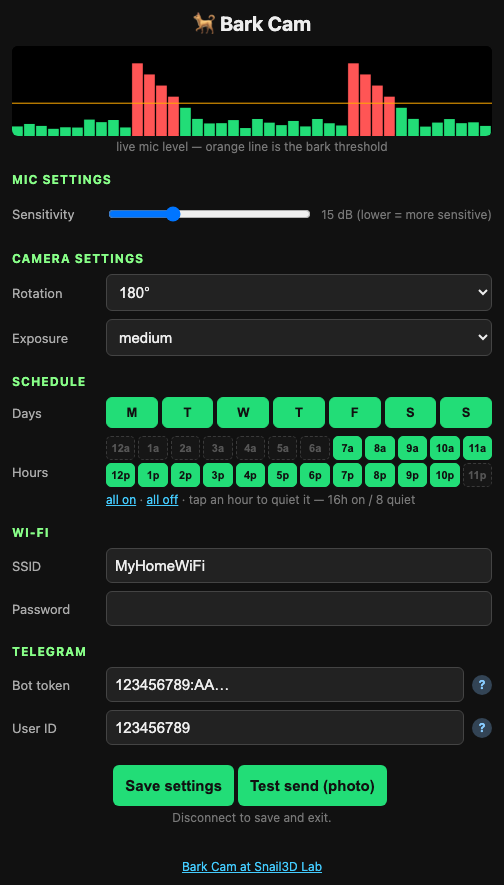
After flashing, the board walks you through it. Everything is saved on the board — no account, no cloud. If you chose “set it up now” in the browser, all three steps below are already done — skip them.
- 01Power the board (USB). For 10 minutes it broadcasts an open network barkcam-config — connect your phone to it. (Skip this if you set it up in the browser.)
- 02Open barkcam.local in your phone's browser (or 192.168.4.1 if that doesn't resolve).
- 03Enter your home WiFi, a Telegram bot token (from @BotFather) and your user ID (from @userinfobot). Hit Save settings. Done — the board closes its access point when your phone leaves.
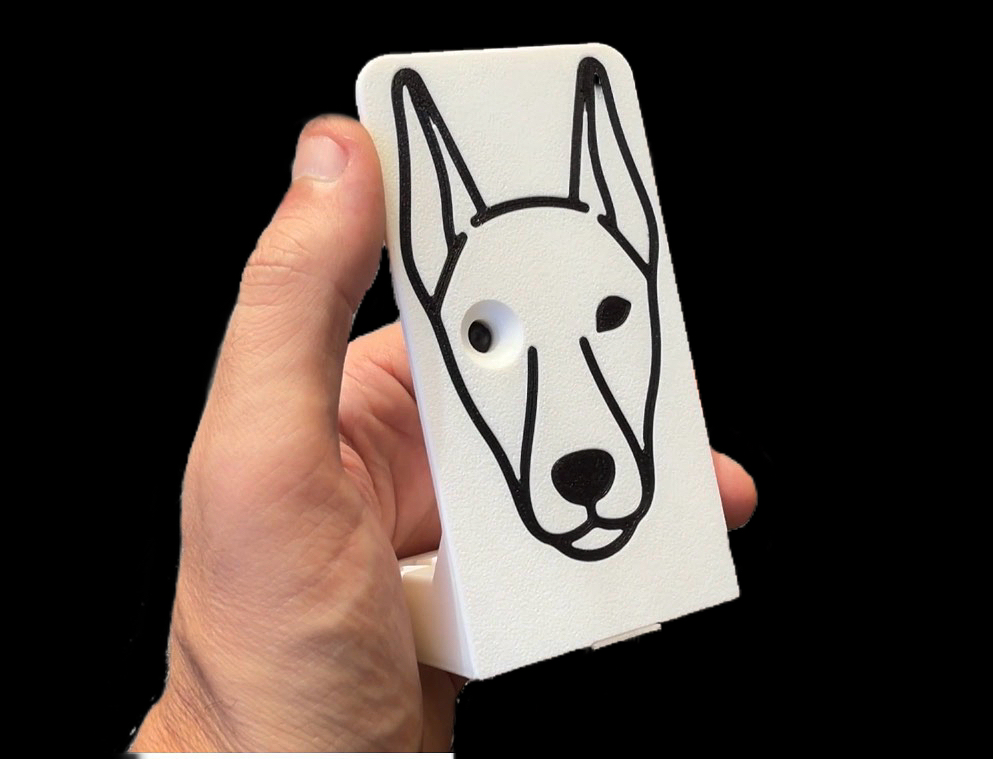
Three parts, no soldering
The board is a Seeed XIAO ESP32S3 Sense — the Sense version carries the OV2640 camera and the PDM microphone. A plain XIAO has neither and cannot run Bark Cam.
Bills of materials
1 · Electronics
| 1× | Seeed XIAO ESP32S3 Sense ↗ camera + mic. A plain XIAO will not work |
| 1× | USB-C data cable charge-only cables cannot flash |
| 1× | 5 V USB power ↗ |
2 · Print
| ↗ | Free print profile on MakerWorld ↗ |
3 · Install
| 1× | Telegram bot free, from @BotFather |
| — | Optional: 3M Command strip |
No glue, no soldering — the shell snaps together around the board.